• LogoAi Image To Video
ImageVideo
  • Text To Image
  • Image To Image
  • AI Tools
Free to try

Restore Old Photos with AI

Professional photo restoration in seconds

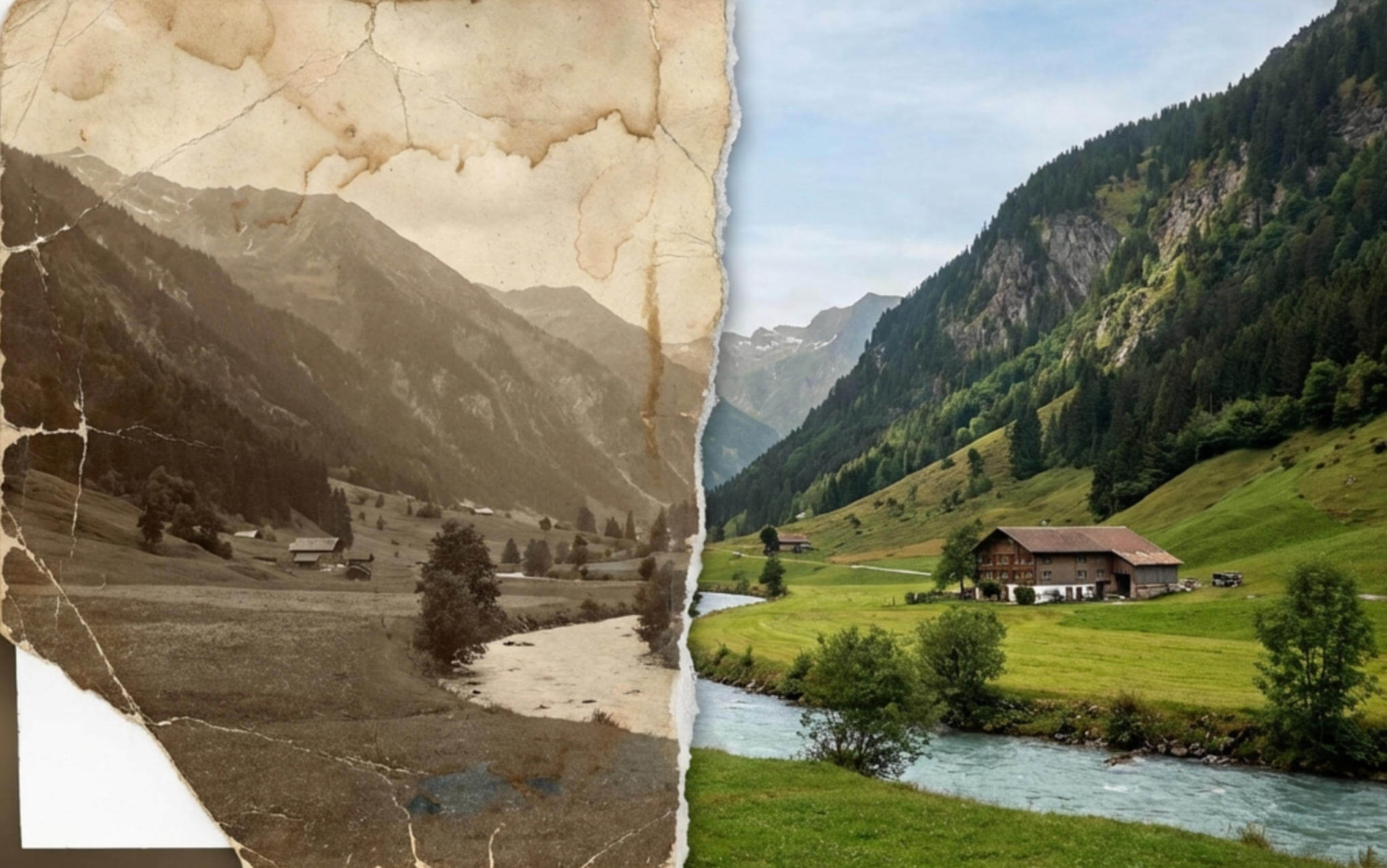
Restore old photos with AI-powered precision. Transform damaged, faded, or vintage photos into pristine memories. Our AI automatically removes scratches, repairs tears, colorizes black & white images, and enhances facial details. Perfect for preserving family history and restoring vintage photographs. Professional results without manual editing.

What is AI Photo Restoration?

When you restore old photos with AI, you use advanced artificial intelligence to automatically repair and enhance damaged, faded, or vintage photographs. Unlike traditional photo editing that requires hours of manual work, our AI analyzes your image in seconds and intelligently reconstructs missing details, removes imperfections, and restores original quality.

Perfect for bringing old family photos back to life. Restore old photos from any era - whether you need to restore vintage photographs, repair water-damaged images, or enhance faded memories. Our AI handles complex restoration tasks including scratch removal, tear repair, colorization of black & white photos, face enhancement, and detail sharpening with professional precision.

Simply upload your old or damaged photo, and our AI does the rest. Restore old photos in seconds and download high-quality restored images ready for printing, sharing, or preserving for future generations. No photo editing experience required.

Why choose our AI photo restoration tool

Everything you need to restore and preserve precious memories.

Instant AI Restoration

Restore old photos in 5-10 seconds

Restore old photos instantly with advanced AI that automatically detects and repairs damage, scratches, tears, and fading. No manual editing required—just upload and let AI restore your precious memories in seconds.
Scratch & Damage Removal

Remove scratches, tears, and stains from old photos

When you restore old photos, AI intelligently removes physical damage including scratches, creases, tears, water stains, and age-related deterioration. Reconstructs missing areas by analyzing surrounding pixels for seamless repair.

Colorize Black & White Photos

Restore old photos and add realistic colors

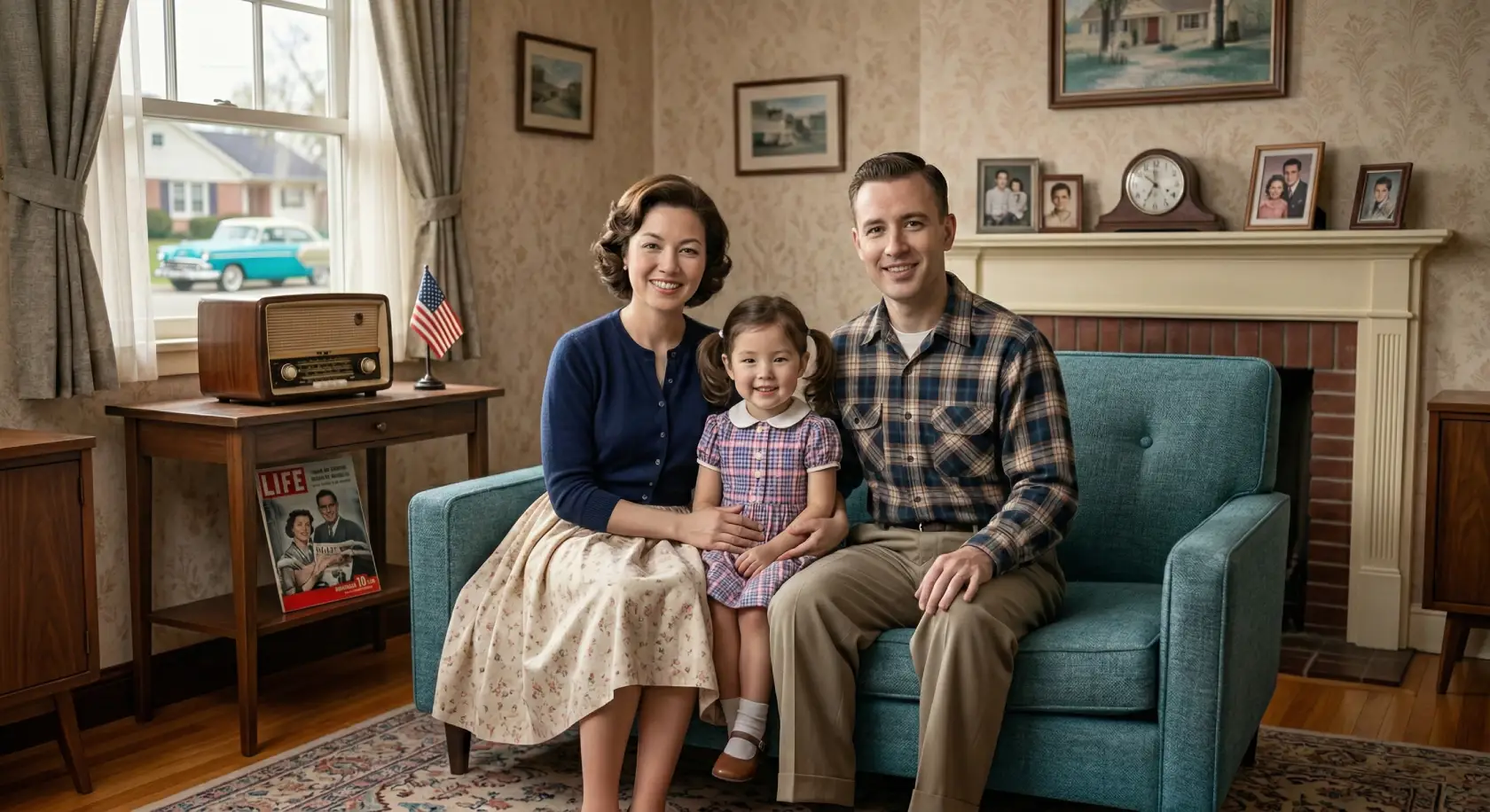
Restore old photos and transform black & white photographs into vibrant color images. AI analyzes context and applies historically accurate, natural-looking colors to bring vintage memories to life.

Face Enhancement

Sharpen and enhance facial details in old photos

Restore old photos with specialized AI enhancement for portraits and family photos. Sharpens blurred faces, enhances facial features, and improves clarity while maintaining natural appearance. Perfect for old family portraits.

High-Quality Output

Professional results when you restore old photos

Restore old photos with professional quality. Export restored photos in full resolution with enhanced details, corrected colors, and improved clarity. Results rival professional photo restoration services at a fraction of the time and cost.

Privacy & Security

Your photos stay private

All photo restoration happens securely. Your precious family photos and memories are private, never shared publicly, and can be deleted anytime. Enterprise-grade security for your irreplaceable images.

How to Restore Old Photos Online

Four simple steps to restore old photos and bring your memories back to life.

1

Upload your old photo

Add any damaged, faded, or vintage photo—scanned prints, digital copies, or phone captures. Supports JPG, PNG, WebP up to 10MB. Works with scratches, tears, water damage, and faded colors.

2

AI analyzes and restores

Our advanced AI scans your photo pixel by pixel, detecting damage, scratches, tears, and faded areas. It intelligently reconstructs missing details, removes imperfections, and enhances quality in 5-10 seconds.

3

Review restoration results

Preview your restored photo with scratches removed, colors enhanced, and details sharpened. For black & white photos, see automatic colorization. Facial features are enhanced for clearer portraits.

4

Download high-quality image

Export your restored photo in full resolution. Perfect for printing, framing, sharing with family, or preserving in digital archives. No watermarks, professional quality results.

Photo restoration FAQ

Common questions about restoring old photos with AI.

How to restore old photos?
To restore old photos with AI, simply upload your damaged or vintage photograph to our tool. The AI analyzes your image, detects imperfections like scratches, tears, and fading, then intelligently reconstructs missing details and removes damage. You can restore old photos in seconds - the AI can also colorize black & white photos and enhance facial features automatically without manual editing.
Is it free to restore old photos?
Yes! New users receive free starter credits to restore old photos and test the AI restoration quality. You can restore old photos for free to see professional results before deciding to upgrade for additional restorations or advanced features.
What types of damage can I fix when I restore old photos?
When you restore old photos with our AI, you can repair scratches, tears, creases, water damage, stains, fading, discoloration, and age-related deterioration. Restore old photos from any era - it works on both vintage photos and recently damaged images. The AI handles physical damage, color fading, and quality degradation. For severely damaged photos with large missing sections, results may vary as the AI reconstructs based on surrounding context.
How long does it take to restore old photos?
You can restore old photos in just 5-10 seconds. Processing time depends on image size and damage complexity, but you'll typically have your restored photo ready to download within seconds of uploading. Much faster than manual restoration which can take hours.
Can I colorize black and white photos when I restore old photos?
Yes! When you restore old photos with our AI, you can automatically add realistic colors to black & white vintage photographs. The AI analyzes the image context and applies historically accurate, natural-looking colors. This feature is perfect for bringing old family photos and vintage portraits to life.
What image formats are supported?
Upload photos in JPG, PNG, or WebP format up to 10MB. The AI works with any resolution, from small scanned prints to high-resolution digital copies. For physical photos, scan them or take a clear, well-lit photo with your smartphone before uploading.
How do I restore old photos from physical prints?
To restore old photos from physical prints, first digitize them by scanning or photographing. Use a smartphone camera or scanner to capture the photo at the highest quality possible. Ensure good lighting and a 90-degree angle. Then upload the digital copy to our AI restoration tool. The AI will restore old photos by removing scratches, repairing damage, and enhancing quality.
Are my photos kept private when I restore old photos?
Absolutely. When you restore old photos with our service, your photos are processed securely and remain completely private. They're tied to your account, never shared publicly or used for any other purpose, and can be deleted anytime. We understand these are precious family memories and treat them with enterprise-grade security and privacy protection.
Can I use photos commercially after I restore old photos?
Yes! When you restore old photos with our paid plans, you get commercial usage rights for restored images. Use them for professional purposes, client work, publications, or any business application. You retain all rights to your original photos and the restored versions. Check your plan details for specific licensing terms.
Why should I restore old photos with AI instead of manual restoration?
When you restore old photos with AI, it's 100x faster than manual restoration by professional artists, which can take hours and cost $35-100+ per photo. AI produces consistent, high-quality results in seconds, handles complex damage automatically, and requires no photo editing skills. Perfect when you need to restore old photos quickly - ideal for restoring multiple family photos or when you need professional results without the high cost of manual restoration services.

Restore old photos and preserve your precious memories today

Everything you need to restore and preserve precious memories.

Restore Old Photos

0/9

Upload

We accept JPEG, PNG, or WEBP formats up to 15MB and 4096 x 4096 pixels.

Restore Old Photos
LogoAi Image To Video Generator

Convert still images into videos for free through AI!

TwitterX (Twitter)YouTubeYouTubeEmail
Product
  • Ai Image To Video
  • Text To Image
  • Image To Image
  • Text To Video
  • Image To Video
  • Ai Baby Dancing
Models
  • Nano Banana Pro
  • FLUX.1 [schnell]
  • GLM Image
  • Z Image Turbo
  • Grok Imagine
  • FLUX.2 Pro
  • FLUX.2 Flex
  • FLUX.2 Klein
AI Tools
  • Background Remover
  • Image Upscaler
  • Image Translate
  • Restore Old Photos
  • Manga Translator
Support
  • Features
  • FAQ
  • Pricing
  • Contact
Legal
  • Privacy Policy
  • Terms of Service
© 2026 Ai Image To Video All Rights Reserved.